
Comfort, Made Personal
Your chair should adapt to you, not ask you to adapt to it.
BUILT AROUND THE WAY YOU WORK
A LIFEFORM Chair is more than a place to sit. It is a thoughtfully crafted seating system designed to support different bodies, working styles, and spaces. Because there is no such thing as an “average” person, or a single chair that suits every task, the right configuration begins with the details that make the chair fit you.
TRUE CRAFTSMANSHIP, CONSIDERED IN EVERY DETAIL
Every LIFEFORM Chair is made with purpose. From the structure beneath the upholstery to the components you interact with every day, each element is selected and assembled to deliver lasting comfort, dependable performance, and a refined finish.
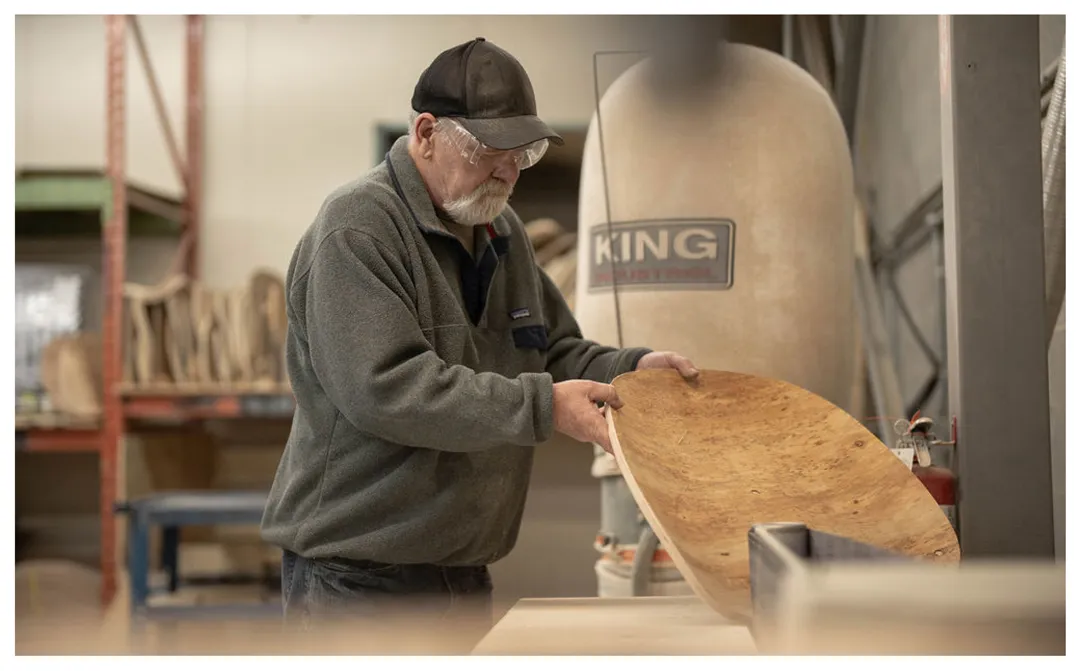
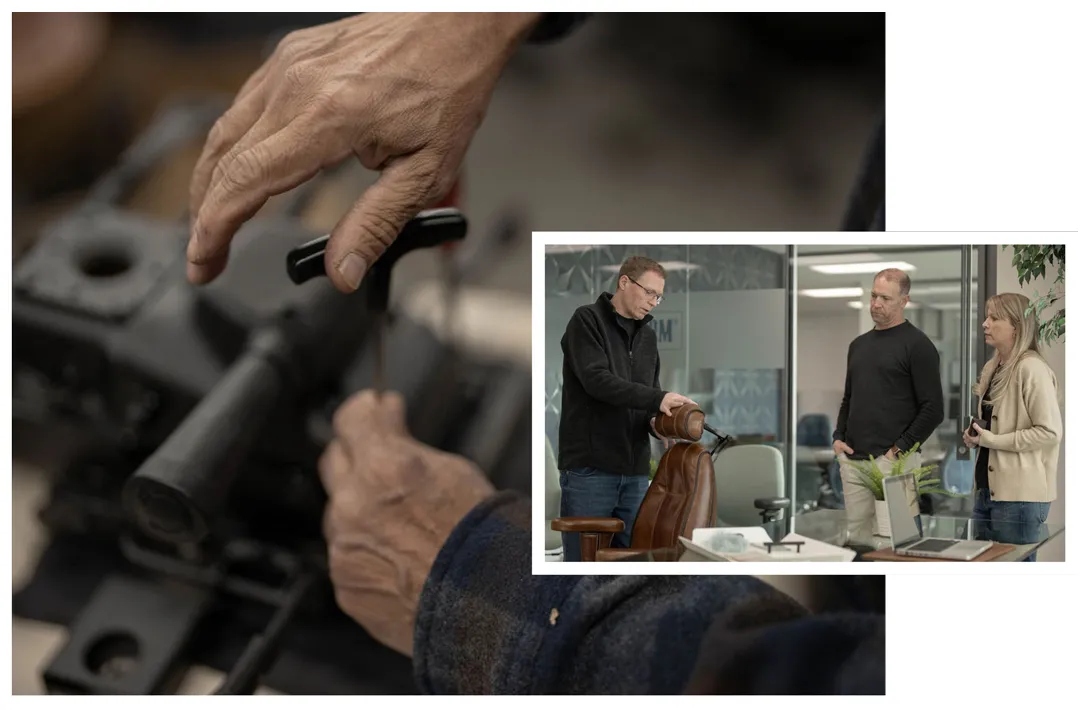
Our approach to craftsmanship is not simply about how a chair looks. It is about how it feels over time: stable when you need support, responsive when you shift position, and easy to adjust as your workday changes.
One Chair. Your Configuration.
THE MOST COMFORTABLE CHAIR IS THE ONE THAT FEELS NATURALLY SUITED TO YOU.
LIFEFORM chairs allow you to choose the shape, support, movement, and materials that work with your body, your workstation, and the way you spend your day. Because no single chair fits everyone, each element can be considered as part of a complete seating experience.
It Begins With the Right Seat
Comfort starts from the seat up. Before your back, arms, or posture can settle in, your seat needs to fit you: your height, your build, and the way you move through your workday.
Fit
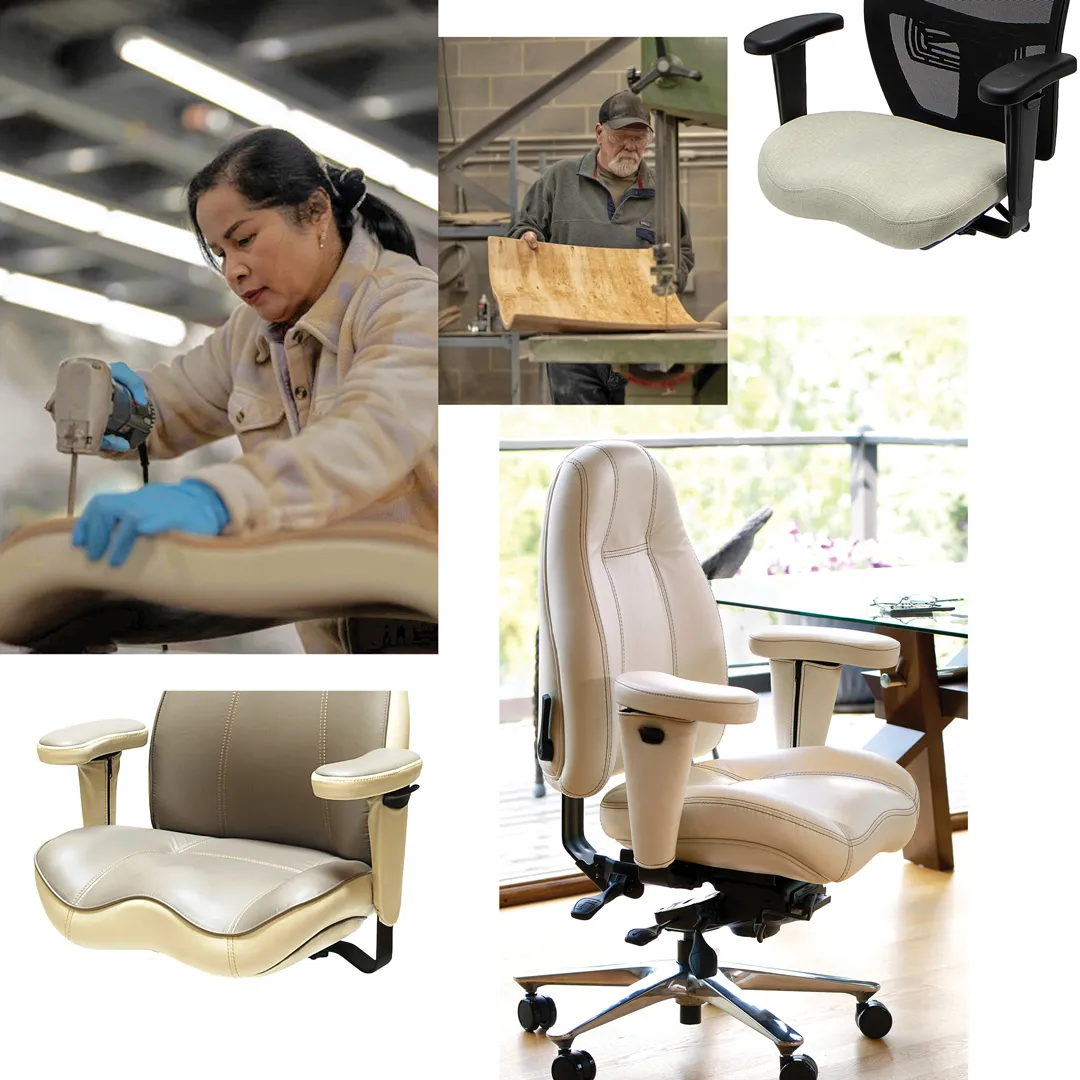
SHAPE THAT FITS
Size | Contoured | Deep Contoured | Flat
The seat is the foundation of your comfort. Choose from a Size: Shallow, Regular, Large, XLarge, or Custom, Contour: Light, Regular, Deep Contoured, or Flat seat to create the level of support and freedom of movement that feels right for you.
A contoured seat provides a more supportive, shaped feel, while a flat seat offers greater freedom to shift position. A deeper contour can provide additional support for those who prefer a more structured seating experience. The right choice should support your thighs without placing pressure behind your knees.
Comfort
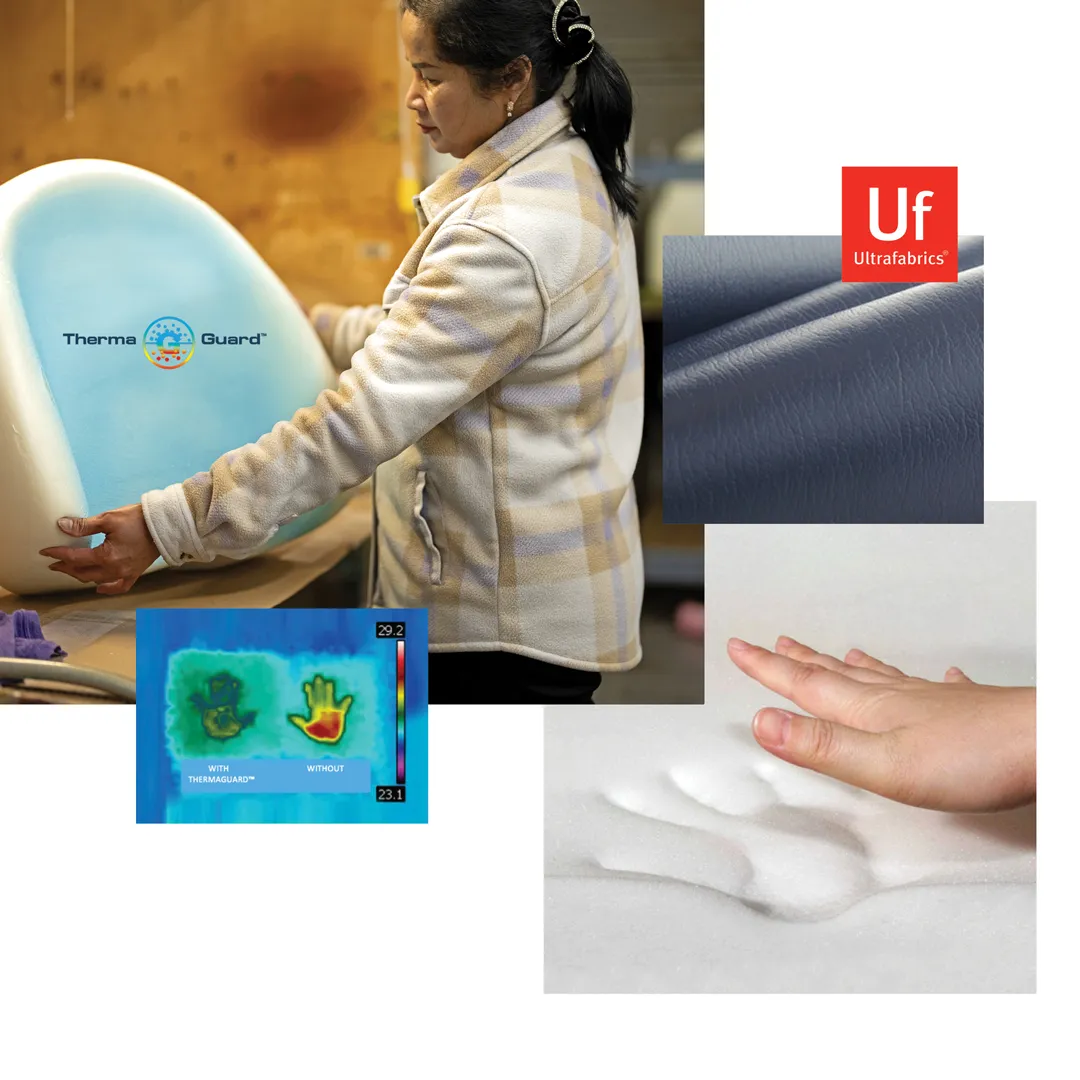
COMFORT BENEATH YOU
Memory Foam | High-Density Foam | SmartCore™ Technology | ThermaGuard™
Your choice of cushioning changes the way the chair feels throughout the day. Memory Foam provides a softer, more personalized feel as it responds to the body. High-Density Foam offers resilient, supportive cushioning designed to maintain its shape over time. ThermaGuard adds another level of comfort with neutral temperature regulating properties, a choice for those seeking a more balanced and comfortable seating environment.
Together, these options allow you to select the feel that best reflects your comfort preferences and daily routine. A comfortable, breathable seat can help minimize heat and moisture buildup during extended periods of sitting.
Adjustments
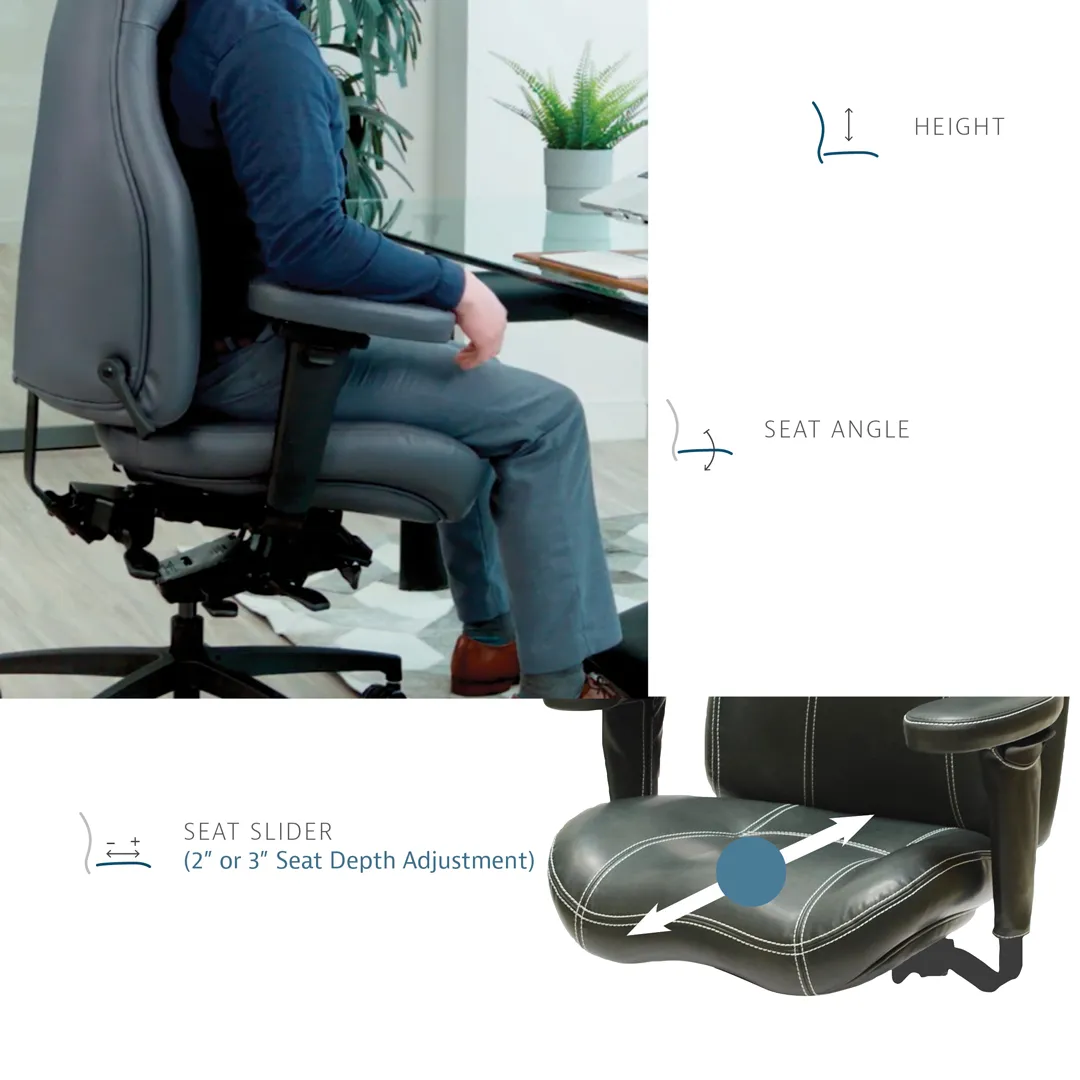
MOVE INTO YOUR IDEAL FIT
Seat Height | Slider | Seat Tilt and Angle
Seat Height helps align the chair with your desk, allowing your feet to rest on the floor or a footrest without unnecessary pressure beneath your thighs.
The Slider allows you to adjust the seat depth so the chair can better support your legs while keeping your back comfortably connected to the backrest. This is especially helpful when a seat feels too deep or too shallow for your proportions.
With Seat Tilt and Angle, you can adjust the relationship between your hips, thighs, and feet to find a more natural working position.
Fit
SHAPE THAT FITS
Size | Contoured | Deep Contoured | Flat
The seat is the foundation of your comfort. Choose from a Size: Shallow, Regular, Large, XLarge, or Custom, Contour: Light, Regular, Deep Contoured, or Flat seat to create the level of support and freedom of movement that feels right for you.
A contoured seat provides a more supportive, shaped feel, while a flat seat offers greater freedom to shift position. A deeper contour can provide additional support for those who prefer a more structured seating experience. The right choice should support your thighs without placing pressure behind your knees.
Comfort
COMFORT BENEATH YOU
Memory Foam | High-Density Foam | SmartCore™ Technology | ThermaGuard™
Your choice of cushioning changes the way the chair feels throughout the day. Memory Foam provides a softer, more personalized feel as it responds to the body. High-Density Foam offers resilient, supportive cushioning designed to maintain its shape over time. ThermaGuard adds another level of comfort with neutral temperature regulating properties, a choice for those seeking a more balanced and comfortable seating environment.
Together, these options allow you to select the feel that best reflects your comfort preferences and daily routine. A comfortable, breathable seat can help minimize heat and moisture buildup during extended periods of sitting.
Adjustments
MOVE INTO YOUR IDEAL FIT
Seat Height | Slider | Seat Tilt and Angle
Seat Height helps align the chair with your desk, allowing your feet to rest on the floor or a footrest without unnecessary pressure beneath your thighs.
The Slider allows you to adjust the seat depth so the chair can better support your legs while keeping your back comfortably connected to the backrest. This is especially helpful when a seat feels too deep or too shallow for your proportions.
With Seat Tilt and Angle, you can adjust the relationship between your hips, thighs, and feet to find a more natural working position.
Choosing the Right Back Support
Choosing the right back support isn’t just about picking a style you like. It’s about understanding how your body works, how you move through your day, and what your spine truly needs to stay comfortable for hours at a time.
Profile
SUPPORT THAT SUITS YOUR WORK
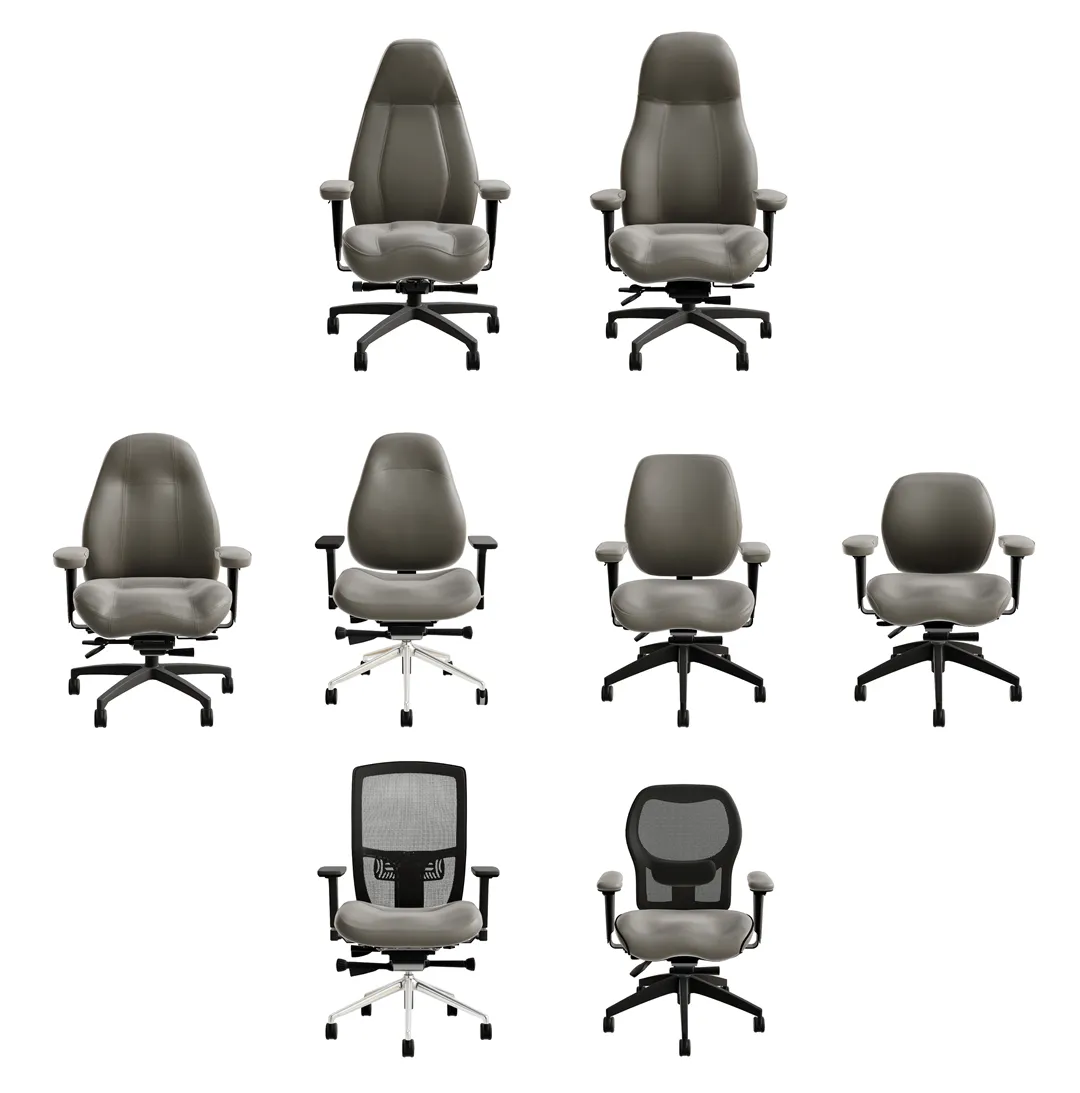
High-Back | Mid-Back | Mesh-Back
The backrest should support your body while allowing you to move naturally. A High-Back chair provides more complete support through the upper back and shoulders. A Mid-Back profile offers supportive coverage while maintaining a lighter, more open feel. A Mesh-Back option provides a breathable surface and a more flexible, contemporary aesthetic.
Support
FIND YOUR NATURAL POSITION
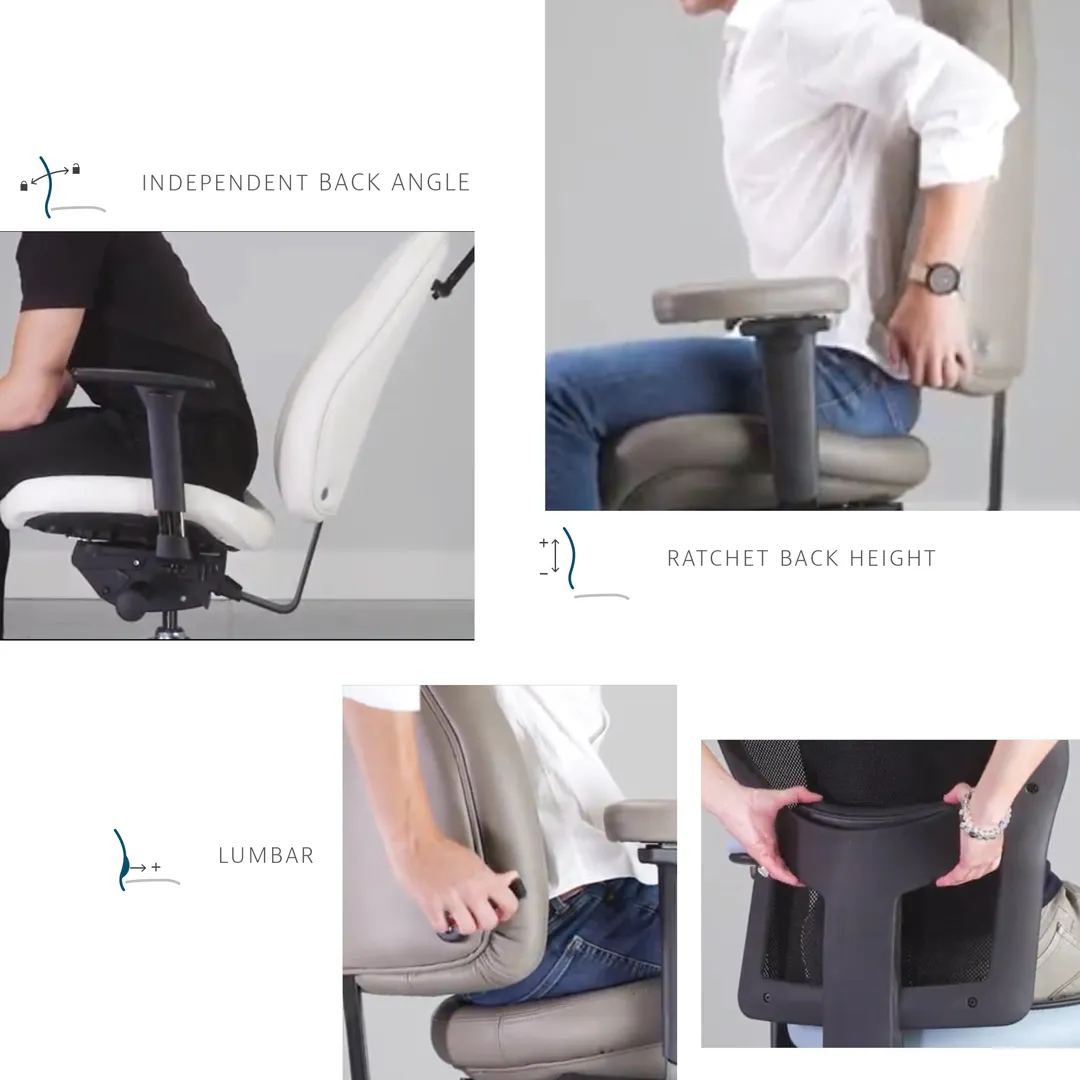
Independent Back Angle | Ratchet Back Height | Lumbar Support
Back Angle adjustment lets you change the relationship between your back and the chair as your tasks change throughout the day.
Ratched Back Height adjustment allows you to position the backrest where it supports you best.
Lumbar support focuses comfort around the lower back, helping the backrest meet your natural shape. When properly positioned, the backrest can encourage a more balanced sitting position without creating pressure points.
Recline
FREEDOM WHEN YOU NEED IT
Tilt Lock | Tilt Tension
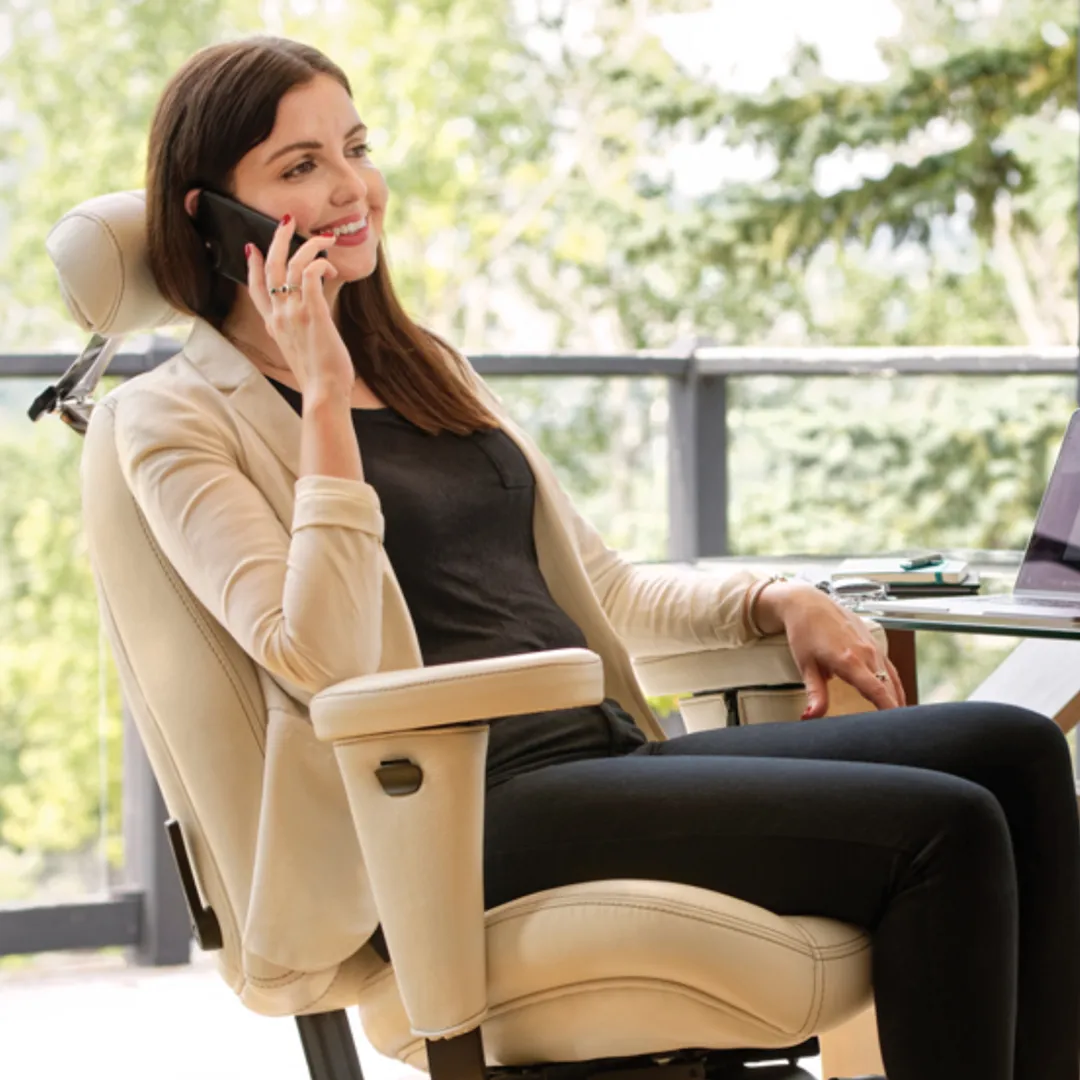
With Tilt Lock and Unlock, you can choose between a more stable upright position or a freer range of movement. Tilt Tension lets you adjust the resistance of the recline so the chair responds comfortably to your body weight rather than feeling too loose or too difficult to move.
Independent adjustment allows different areas of the chair to be fine-tuned separately, giving you greater control over your preferred working position. These features make it easier to move between focused work, conversation, reading, and moments of reflection.
Profile
SUPPORT THAT SUITS YOUR WORK
High-Back | Mid-Back | Mesh-Back
The backrest should support your body while allowing you to move naturally. A High-Back chair provides more complete support through the upper back and shoulders. A Mid-Back profile offers supportive coverage while maintaining a lighter, more open feel. A Mesh-Back option provides a breathable surface and a more flexible, contemporary aesthetic.
Support
FIND YOUR NATURAL POSITION
Independent Back Angle | Ratchet Back Height | Lumbar Support
Back Angle adjustment lets you change the relationship between your back and the chair as your tasks change throughout the day.
Ratched Back Height adjustment allows you to position the backrest where it supports you best.
Lumbar support focuses comfort around the lower back, helping the backrest meet your natural shape. When properly positioned, the backrest can encourage a more balanced sitting position without creating pressure points.
Recline
FREEDOM WHEN YOU NEED IT
Tilt Lock | Tilt Tension
With Tilt Lock and Unlock, you can choose between a more stable upright position or a freer range of movement. Tilt Tension lets you adjust the resistance of the recline so the chair responds comfortably to your body weight rather than feeling too loose or too difficult to move.
Independent adjustment allows different areas of the chair to be fine-tuned separately, giving you greater control over your preferred working position. These features make it easier to move between focused work, conversation, reading, and moments of reflection.
Support That Doesn’t Get in the Way
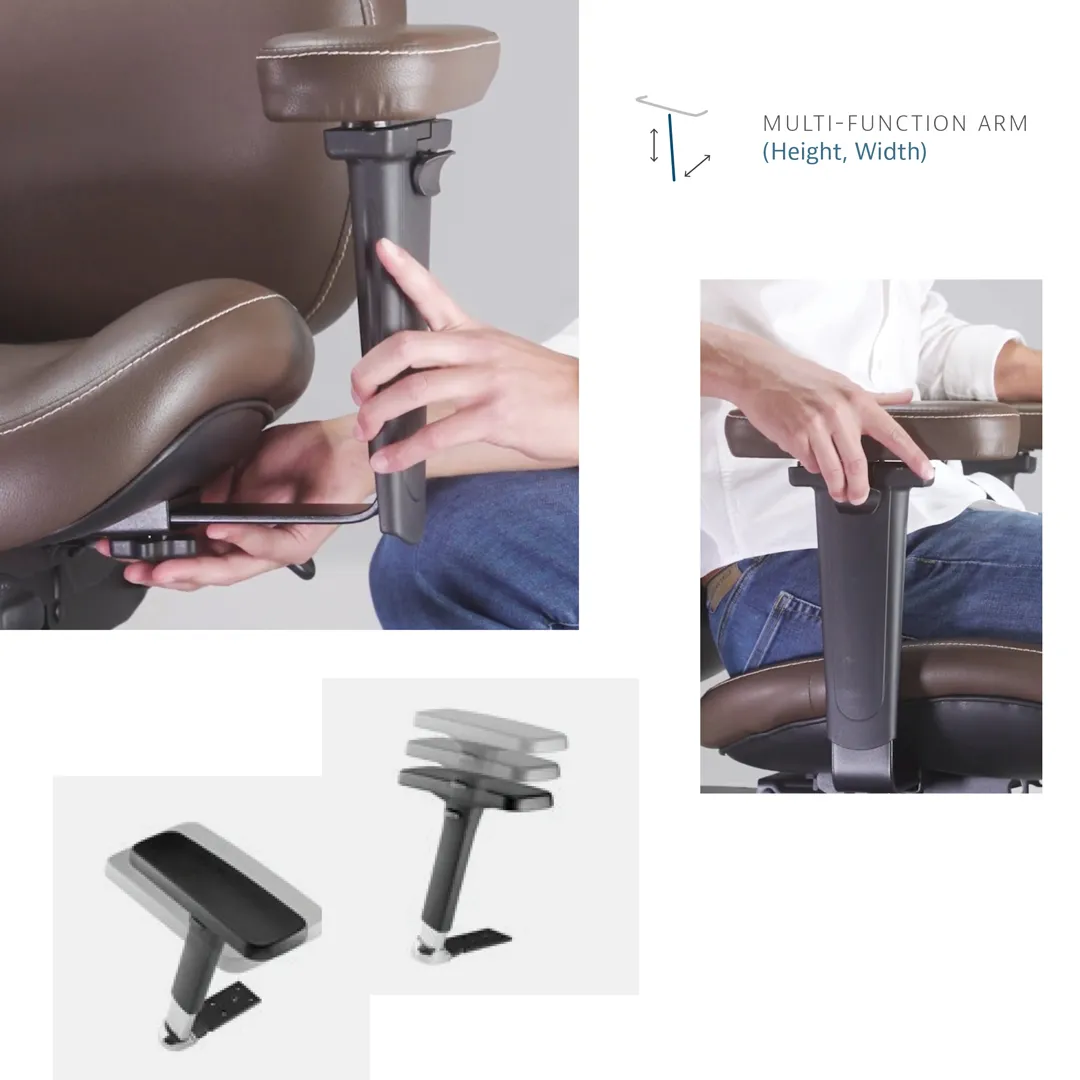
Armrests should support your arms evenly, without pushing you away from your desk. LIFEFORM armrests adjust for both height and width, and can be removed entirely if they interfere with keyboard positioning or close-desk work. For computer-intensive roles, height-adjustable armrests reduce shoulder and wrist strain across the workday.
Adaptive Arm Support
FOR THE BEST FIT
Width | Height
Adjustable armrests help the chair fit your body, rather than forcing your shoulders, wrists, and arms into a fixed position. Height adjustment supports your forearms without requiring you to shrug or hunch, while width adjustment accommodates different body types and makes it easier to position your arms comfortably at your desk.
Properly positioned armrests can help reduce shoulder and neck tension, wrist and forearm strain, and the discomfort of unsupported arms during extended computer use. They can also be moved closer to the desk, or out of the way, making it easier to position your keyboard and work comfortably at different distances.
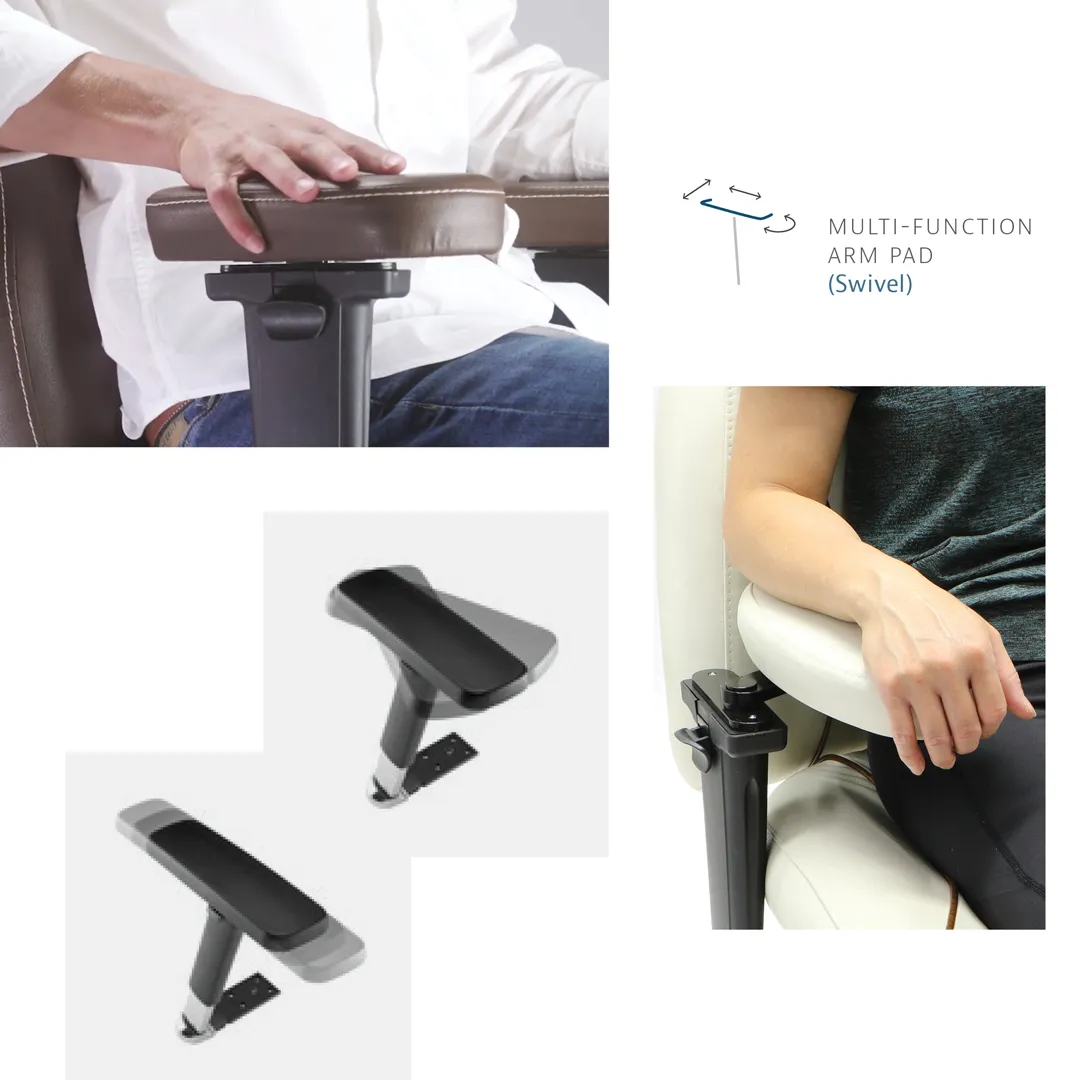
Swiveling Arm Pads
SUPPORT THAT MOVES FOR YOU
Slide Forward | Swivel
Swiveling arm pads follow the natural movement of your arms as you type, use a mouse, or change position. This helps prevent the restricted movement, wrist tension, forearm strain, and shoulder discomfort that can occur when armrests hold your arms at a fixed angle.
Together, these features provide flexible support that moves with you, helping reduce pressure and tension without limiting how you work.
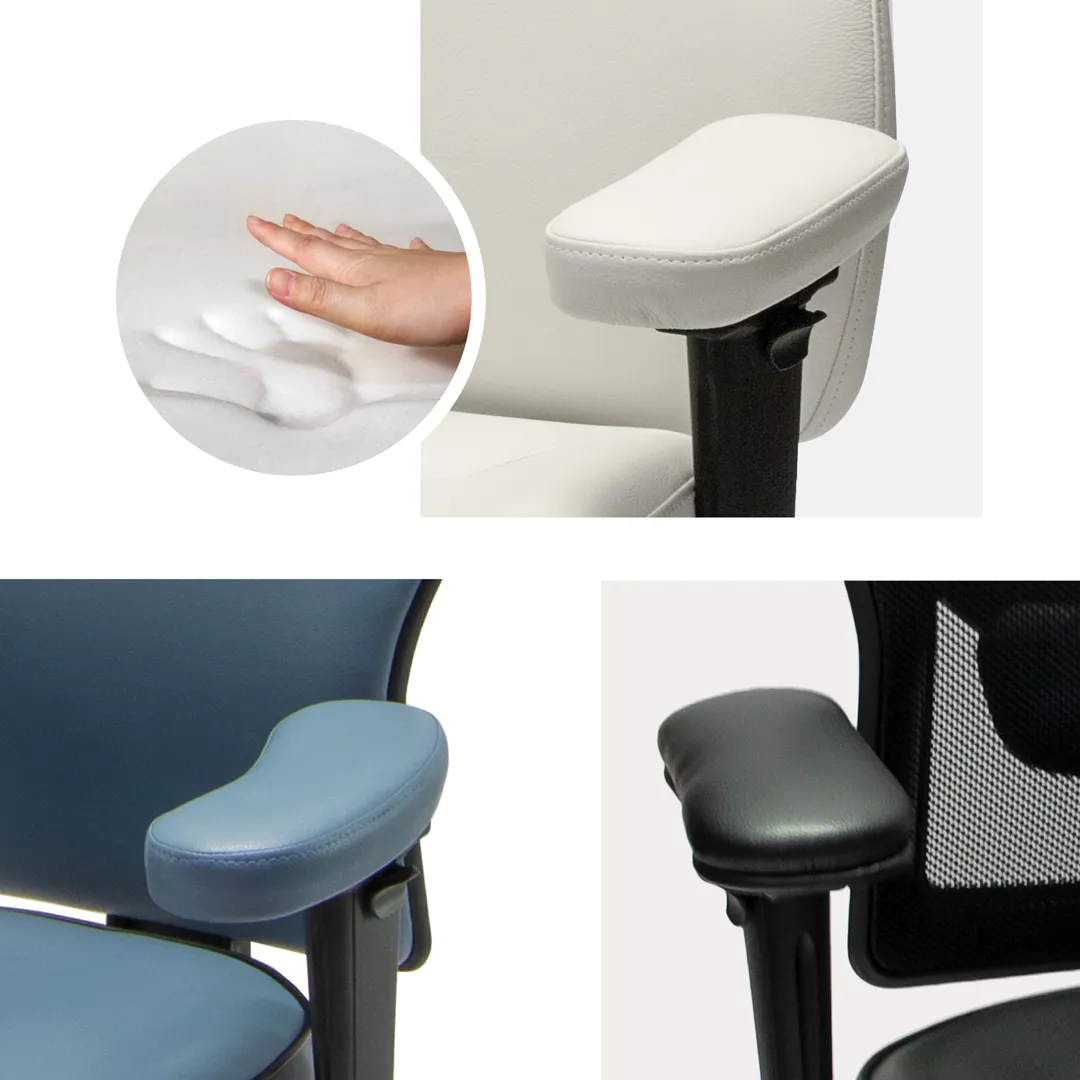
Memory Foam Arm Pads
COMFORT AT THE POINT OF CONTACT
Ergo M | Ergo S | Brezza
Memory foam cushions the forearms with a softer, more forgiving surface. By distributing pressure more evenly, it helps reduce pressure points and discomfort that can develop when resting on hard armrests during long periods of use.
Adaptive Arm Support
FOR THE BEST FIT
Width | Height
Adjustable armrests help the chair fit your body, rather than forcing your shoulders, wrists, and arms into a fixed position. Height adjustment supports your forearms without requiring you to shrug or hunch, while width adjustment accommodates different body types and makes it easier to position your arms comfortably at your desk.
Properly positioned armrests can help reduce shoulder and neck tension, wrist and forearm strain, and the discomfort of unsupported arms during extended computer use. They can also be moved closer to the desk, or out of the way, making it easier to position your keyboard and work comfortably at different distances.
Swiveling Arm Pads
SUPPORT THAT MOVES FOR YOU
Slide Forward | Swivel
Swiveling arm pads follow the natural movement of your arms as you type, use a mouse, or change position. This helps prevent the restricted movement, wrist tension, forearm strain, and shoulder discomfort that can occur when armrests hold your arms at a fixed angle.
Together, these features provide flexible support that moves with you, helping reduce pressure and tension without limiting how you work.
Memory Foam Arm Pads
COMFORT AT THE POINT OF CONTACT
Ergo M | Ergo S | Brezza
Memory foam cushions the forearms with a softer, more forgiving surface. By distributing pressure more evenly, it helps reduce pressure points and discomfort that can develop when resting on hard armrests during long periods of use.
Cervical Support
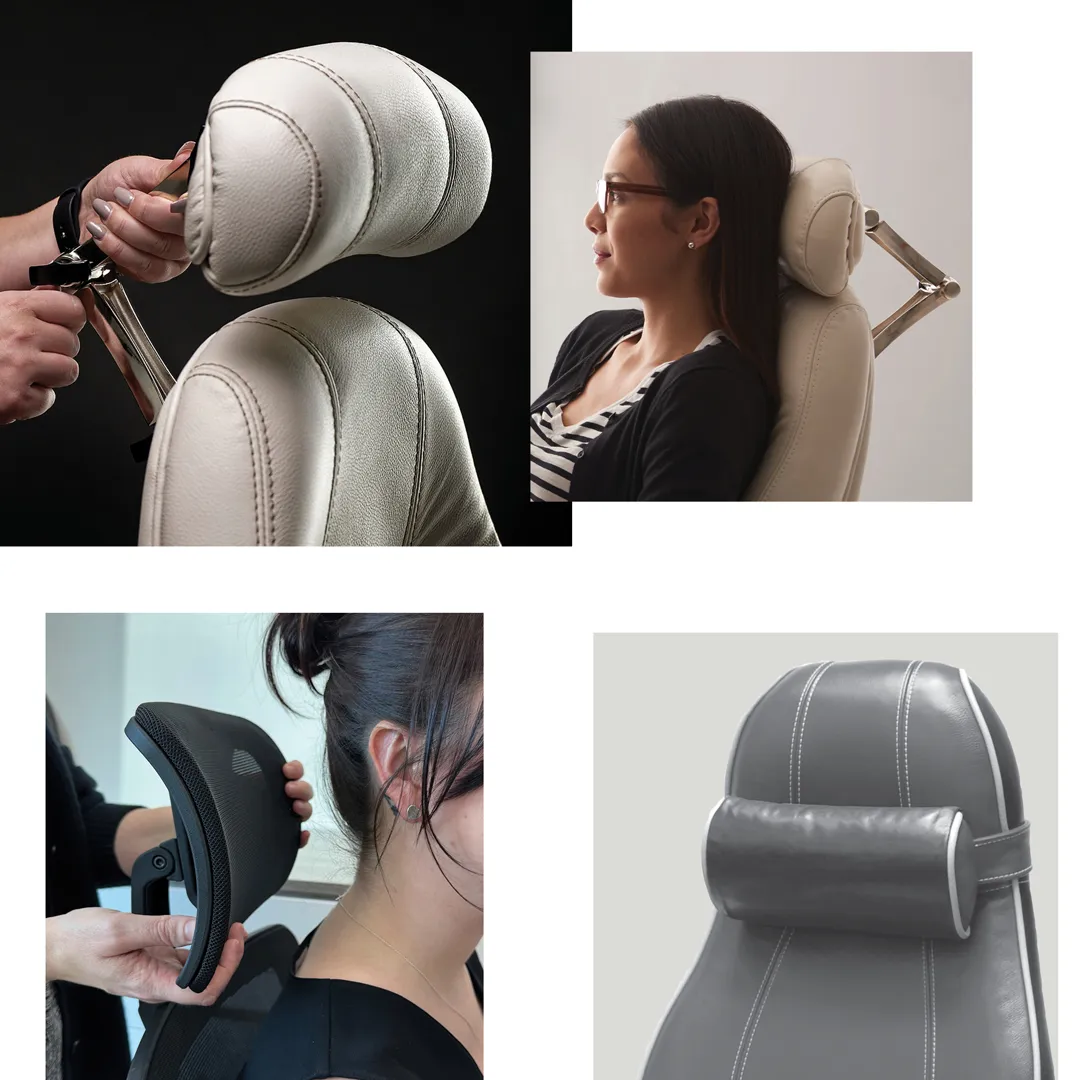
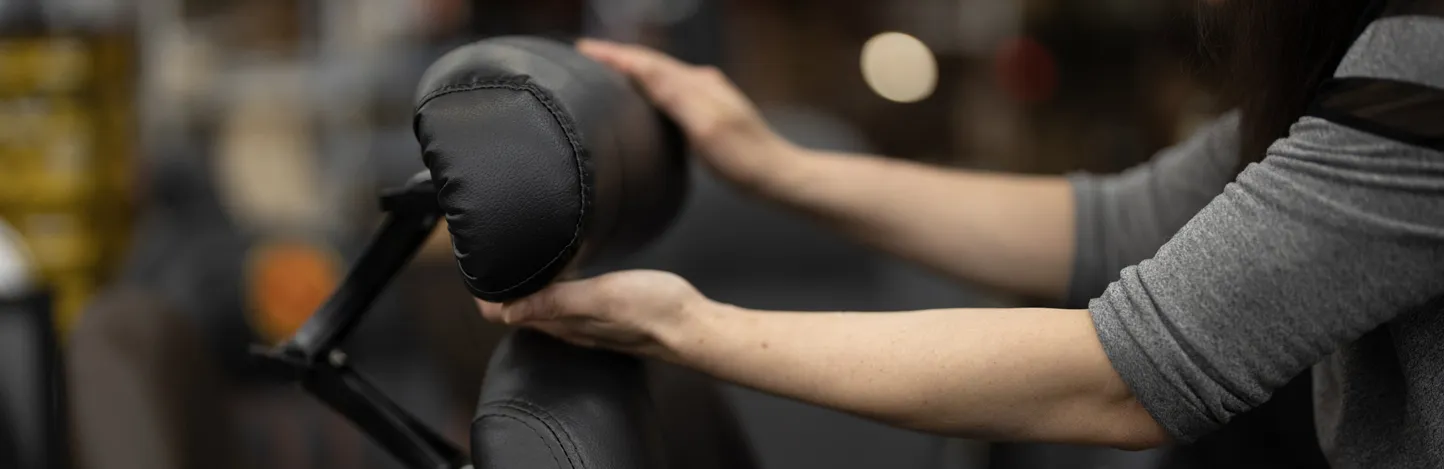
Your head is supported by the muscles and structures of your neck throughout the day. Cervical support gives your head and neck a place to rest, reducing the effort required from your neck and shoulders, especially when you recline, pause, or shift into a more relaxed position.
True Relaxation
COMFORT ABOVE THE SHOULDERS
Latitude Headrest | Mesh Headrest | Neck Roll Pillow
If you prefer a Mid-Back or Mesh-Back chair, an optional headrest can add that same support while preserving the look and feel of a lower-profile backrest. Positioned to support the natural curve of your neck, a headrest helps reduce the effort required to hold your head upright when reclining.